
Most of the major LLM chatbot vendors are now offering a tool called deep research. These tools basically just scour the web given a question, and return a report. For academics conducting literature reviews, the parallel is obvious. We just tend to limit the review to peer reviewed research.
I started with testing out Google’s Gemini service. Using that, I noticed almost all of the sources cited were public materials. So I did a little test with a few prompts across the different tools. Below are some examples of those:
- Google Gemini question on measuring stress in police officers (PDF, I cannot share this chat link it appears)
- OpenAI Effectiveness of Gunshot detection (PDF, link to chat)
- Perplexity convenience sample (PDF, Perplexity was one conversation)
- Perplexity survey measures attitudes towards police (PDF, see chat link above)
The report on officer mental health measures was an area I was wholly unfamiliar. The other tests are areas where I am quite familiar, so I could evaluate how well I thought each tool did. OpenAI’s tool is the most irksome to work with, citations work out of the box for Google and Perplexity, but not with ChatGPT. I had to ask it to reformat things several times. Claude’s tool has no test here, as to use its deep research tool you need a paid account.
Offhand each of the tools did a passable job of reviewing the literature and writing reasonable summaries. I could nitpick things in both the Perplexity and the ChatGPT results, but overall they are good tools I would recommend people become familiar with. ChatGPT was more concise and more on-point. Perplexity got the right answer for the convenience sample question (use post-stratification), but also pulled in a large literature on propensity score matching (which is only relevant for X causes Y type questions, not overall distribution of Y). Again this is nit-picking for less than 5 minutes of work.
Overall these will not magically take over writing your literature review, but are useful (the same way that doing simpler searches in google scholar is useful). The issue with hallucinating citations is mostly solved (see the exception for ChatGPT here). You should consult the original sources and treat deep research reports like on-demand Wikipedia pages, but lets not kid ourselves – most people will not be that thorough.
For the Gemini report on officer mental health, I went through quickly and broke down the 77 citations across the publication type or whether the sources were in HTML or PDF. (Likely some errors here, I went by the text for the most part.) For the HTML vs PDF, 59 out of 77 (76%) are HTML web-sources. Here is the breakdown for my ad-hoc categories for types of publications:
- Peer Review (open) – 39 (50%)
- Peer review (just abstract) 10 (13% – these are all ResearchGate)
- Open Reports 23 (30%)
- Web pages 5 (6%)
For a quick rundown of these. Peer reviewed should be obvious, but sometimes the different tools cite papers that are not open access. In these cases, they are just using the abstract to madlib how Deep Research fills in its report. (I consider ResearchGate articles here as just abstract, they are a mix of really available, but you need to click a link to get to the PDF in those cases. Google is not indexing those PDFs behind a wall, but the abstract.) Open reports I reserve for think tank or other government groups. Web pages I reserve for blogs or private sector white papers.
I’d note as well that even though it does cite many peer review here, many of these are quite low quality (stuff in MDPI, or other what look to me pay to publish locations). Basically none of the citations are in major criminology journals! As I am not as familiar with this area this may be reasonable though, I don’t know if this material is often in different policing journals or Criminal Justice and Behavior and just not being picked up at all, or if that lit in those places just does not exist. I have a feeling it is missing a few of the traditional crim journal sources though (and picks up a few sources in different languages).
The OpenAI report largely hallucinated references in the final report it built (something that Gemini and Perplexity currently do not do). The references it made up were often portmanteaus of different papers. Of the 12 references it provided, 3 were supposedly peer reviewed articles. You can in the ChatGPT chat go and see the actual web-sources it used (actual links, not hallucinated). Of the 32 web links, here is the breakdown:
- Pubmed 9
- The Trace 5
- Kansas City local news station website 4
- Eric Piza’s wordpress website 3
- Govtech website 3
- NIJ 2
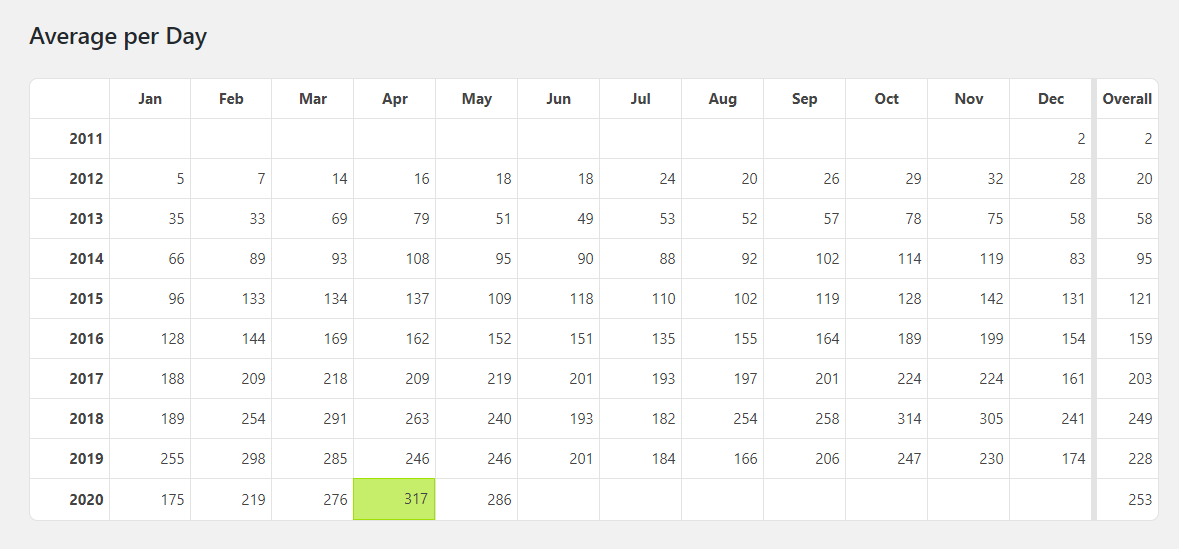
There are single links then to two different journals, and one to the Police Chief magazine. I’d note Eric’s site is not that old (first RSS feed started in February 2023), so Eric making a website where he simple shares his peer reviewed work greatly increased his exposure. His webpage in ChatGPT is more influential than NIJ and peer reviewed CJ journals combined.
I did not do the work to go through the Perplexity citations. But in large part they appear to me quite similar to Gemini on their face. They do cite pure PDF documents more often than I expected, but still we are talking about 24% in the Gemini example are PDFs.
The long story short advice here is that you should post your preprints or postprints publicly, preferably in HTML format. For criminologists, you should do this currently on CrimRXiv. In addition to this, just make a free webpage and post overviews of your work.
These tests were just simple prompts as well. I bet you could steer the tool to give better sources with some additional prompting, like “look at this specific journal”. (Design idea if anyone from Perplexity is listening, allow someone to be able to whitelist sources to specific domains.)
Other random pro-tip for using Gemini chats. They do not print well, and if they have quite a bit of markdown and/or mathematics, they do not convert to a google document very well. What I did in those circumstances was to do a bit of javascript hacking. So go into your dev console (in Chrome right click on the page and select “Inspect”, then in the new page that opens up go to the “Console” tab). And depending on the chat browser currently opened, can try entering this javascript:
// Example printing out Google Gemini Chat
var res = document.getElementsByTagName("extended-response-panel")[0];
var report = res.getElementsByTagName("message-content")[0];
var body = document.getElementsByTagName("body")[0];
let escapeHTMLPolicy = trustedTypes.createPolicy("escapeHTML", {
 createHTML: (string) => string
});
body.innerHTML = escapeHTMLPolicy.createHTML(report.innerHTML);
// Now you can go back to page, cannot scroll but
// Ctrl+P prints out nicely
Or this works for me when revisiting the page:
var report = document.getElementById("extended-response-message-content");
var body = document.getElementsByTagName("body")[0];
let escapeHTMLPolicy = trustedTypes.createPolicy("escapeHTML", {
 createHTML: (string) => string
});
body.innerHTML = escapeHTMLPolicy.createHTML(report.innerHTML);
This page scrolling does not work, but Ctrl + P to print the page does.
The idea behind this, I want to just get the report content, which ends up being hidden away in a mess of div tags, promoted out to the body of the page. This will likely break in the near future as well, but you just need to figure out the correct way to get the report content.
Here is an example of using Gemini’s Deep Research to help me make a practice study guide for my sons calculus course as an example.



 Andrew Wheeler